
Layouts
Where: Players → Layouts (/screenLayouts)
A layout defines how a screen is divided into zones. Each zone plays its own playlist. For example, a video zone on the left, a promotions zone on the right and a news ticker along the bottom. Every client starts with Simple layout, a single full-screen Main zone.
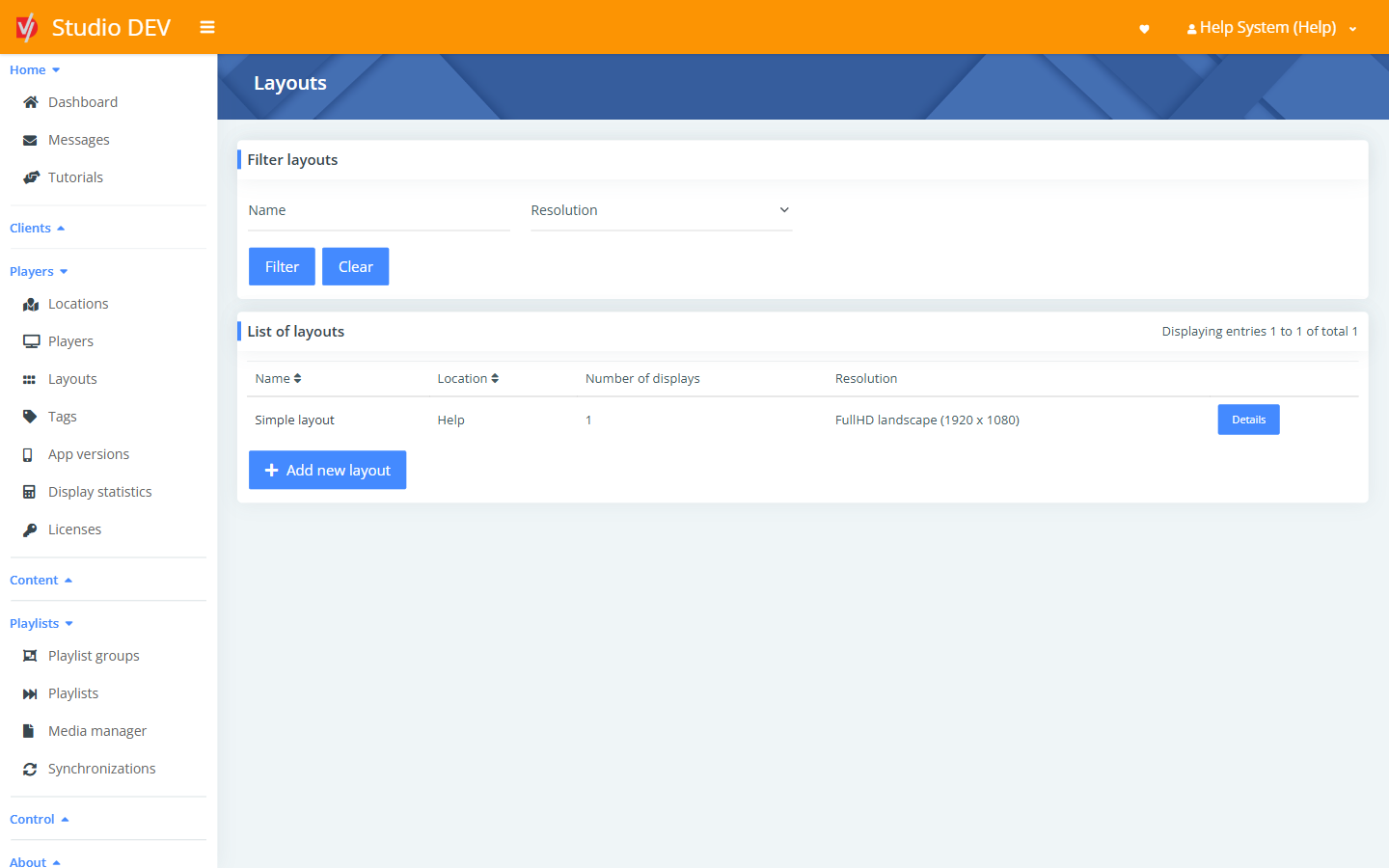
Find a layout
Section titled “Find a layout”Filter by Name or Resolution. The list shows Name, Location, Number of displays and Resolution. Click Details to open a layout.
Add a new layout
Section titled “Add a new layout”Click Add new layout, fill in the form and click Save. Then open the Layout builder to draw your zones.
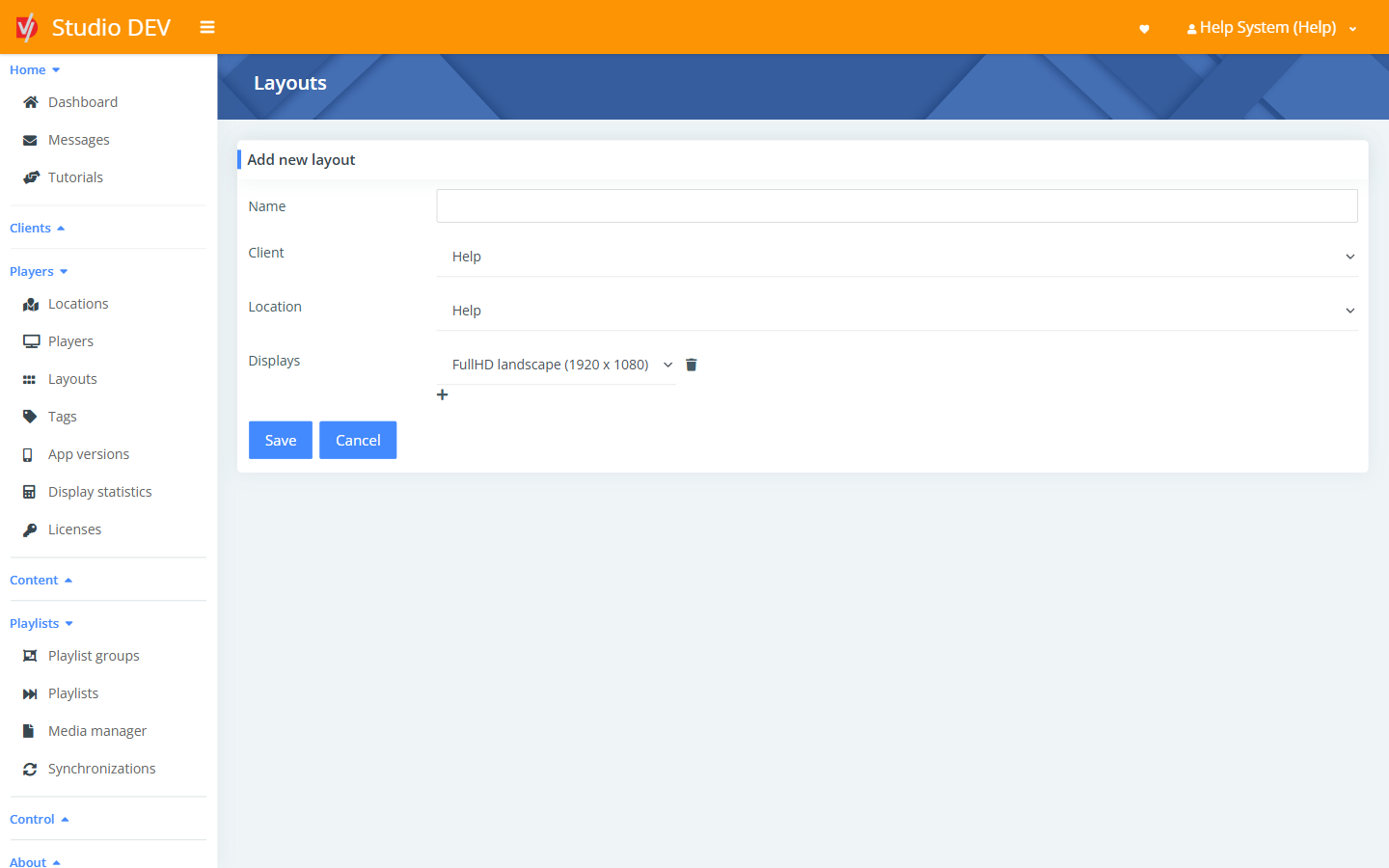
| Field | Required | Description |
|---|---|---|
| Name | Yes | For example Menu board – 3 zones. |
| Client | The organization the layout belongs to. | |
| Location | Who can use the layout. It’s available to players at this location and below. | |
| Displays | The resolution of each display. Choose FullHD landscape (1920 x 1080), FullHD portrait (1080 x 1920), 4K landscape (3840 x 2160), 4K portrait (2160 x 3840), or Custom and enter a Width and Height in pixels. Add more displays for players driving several screens (a video wall, for example). |
Layout details page
Section titled “Layout details page”Where: /screenLayouts/{id}
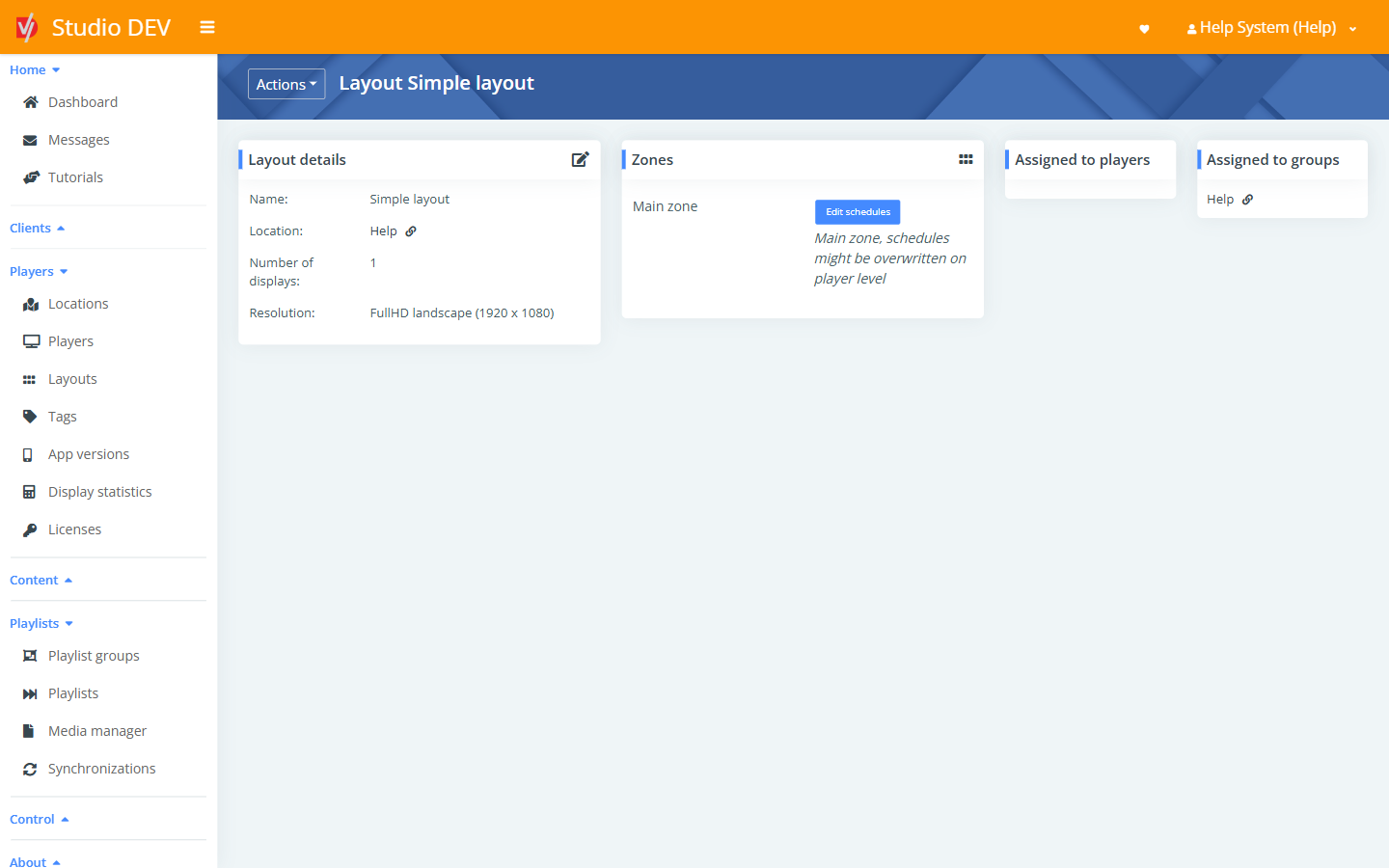
| Panel | What it shows |
|---|---|
| Layout details | Name, Location, Number of displays and Resolution. |
| Zones | Every zone in the layout, each with an Edit schedules button. |
| Assigned to players | Players using this layout directly. |
| Assigned to groups | Playlist groups using this layout (for example as their fallback layout). |
Actions menu: Edit layout, Layout builder and Delete layout.
Zone schedules
Section titled “Zone schedules”Where: Zones → Edit schedules (/screenLayouts/{id}/schedules/{zoneId})
Schedules which playlist plays in a zone, for every player using this layout. The top of the page shows a calendar (< Today >). Below it you add rows with Playlist, Time from, Time to, Day, Date from, Date to and Priority.
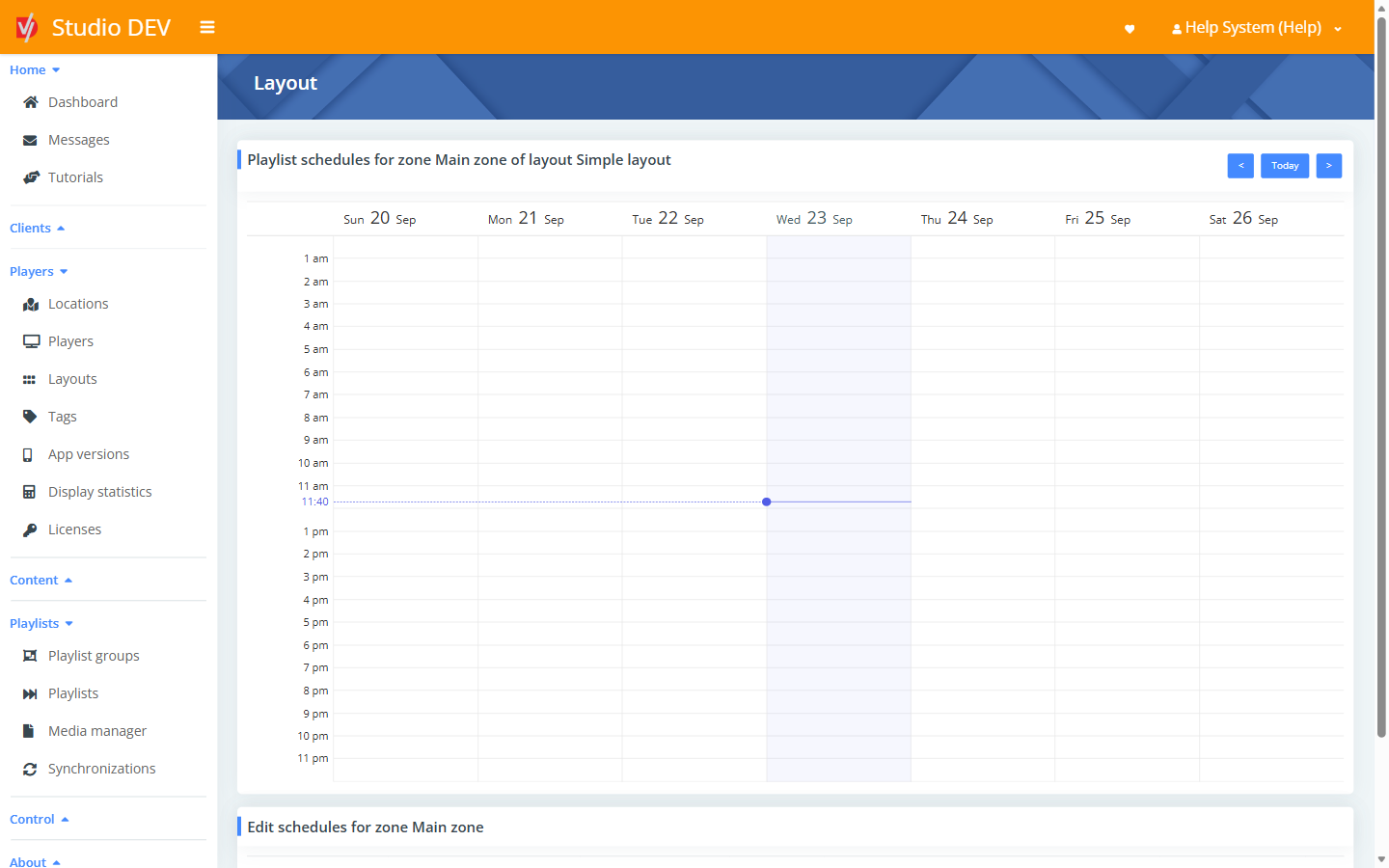
See Scheduling for the recurrence options.
Delete a layout
Section titled “Delete a layout”Actions → Delete layout, then confirm. You can’t delete a layout that is still assigned. Reassign its players and groups first.
Permissions needed
Section titled “Permissions needed”Manage layouts.