
Layout builder
Where: Layouts → open a layout → Actions → Layout builder (/screenLayouts/{id}/builder)
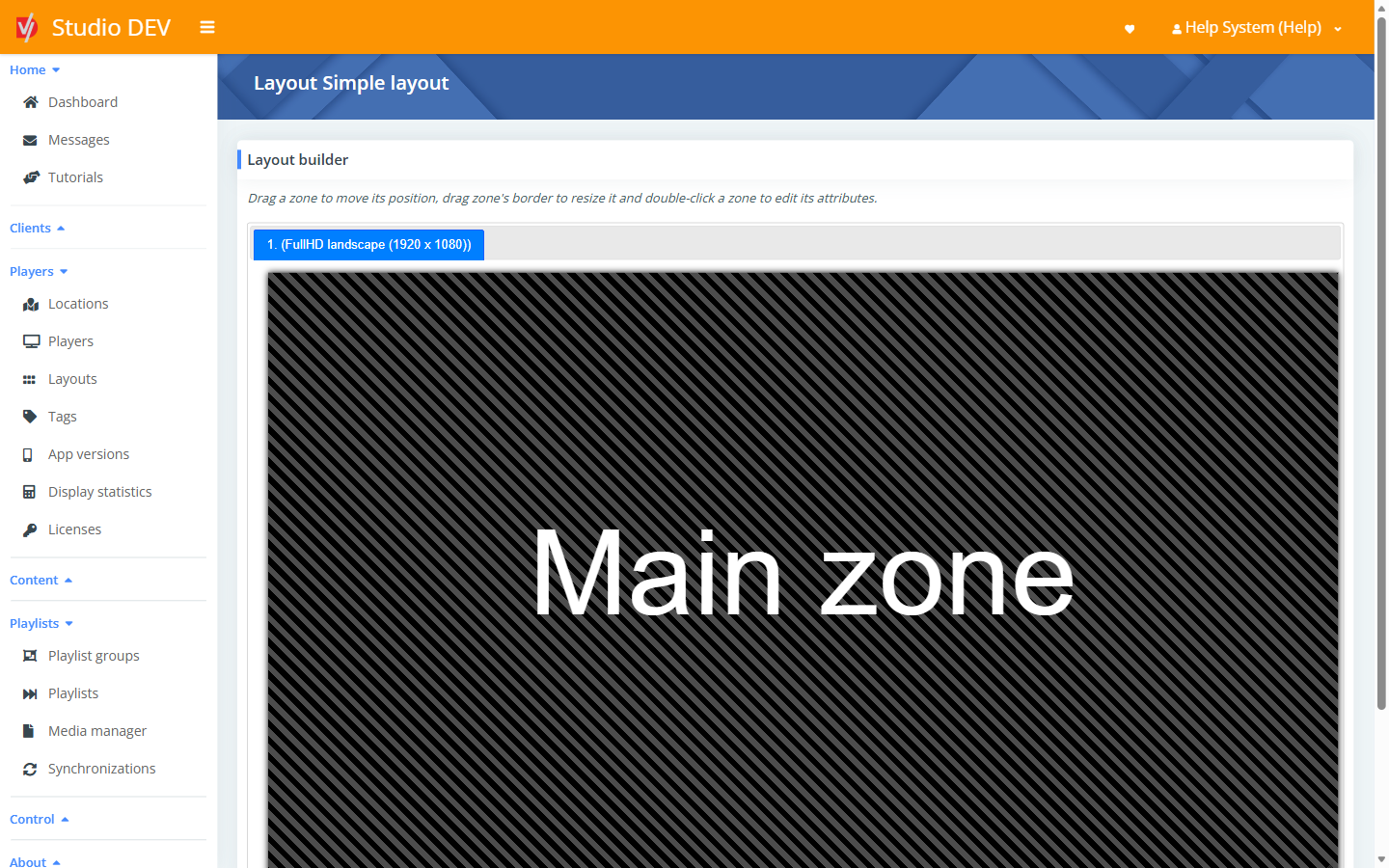
The layout builder is a visual editor for the zones in a layout.
Working with zones
Section titled “Working with zones”- Move a zone: drag it.
- Resize a zone: drag its border.
- Edit a zone: double-click it to open the zone properties.
- Add a zone: click Add new zone.
- The strip under the canvas lists every zone with its display and position, for example Left: 0%, top: 0%, width: 100%, height: 100%.
- If the layout has several displays, tabs above the canvas (for example 1. (FullHD landscape (1920 x 1080))) switch between them.
Click Save and close to keep your changes or Cancel to discard them.
Zone properties
Section titled “Zone properties”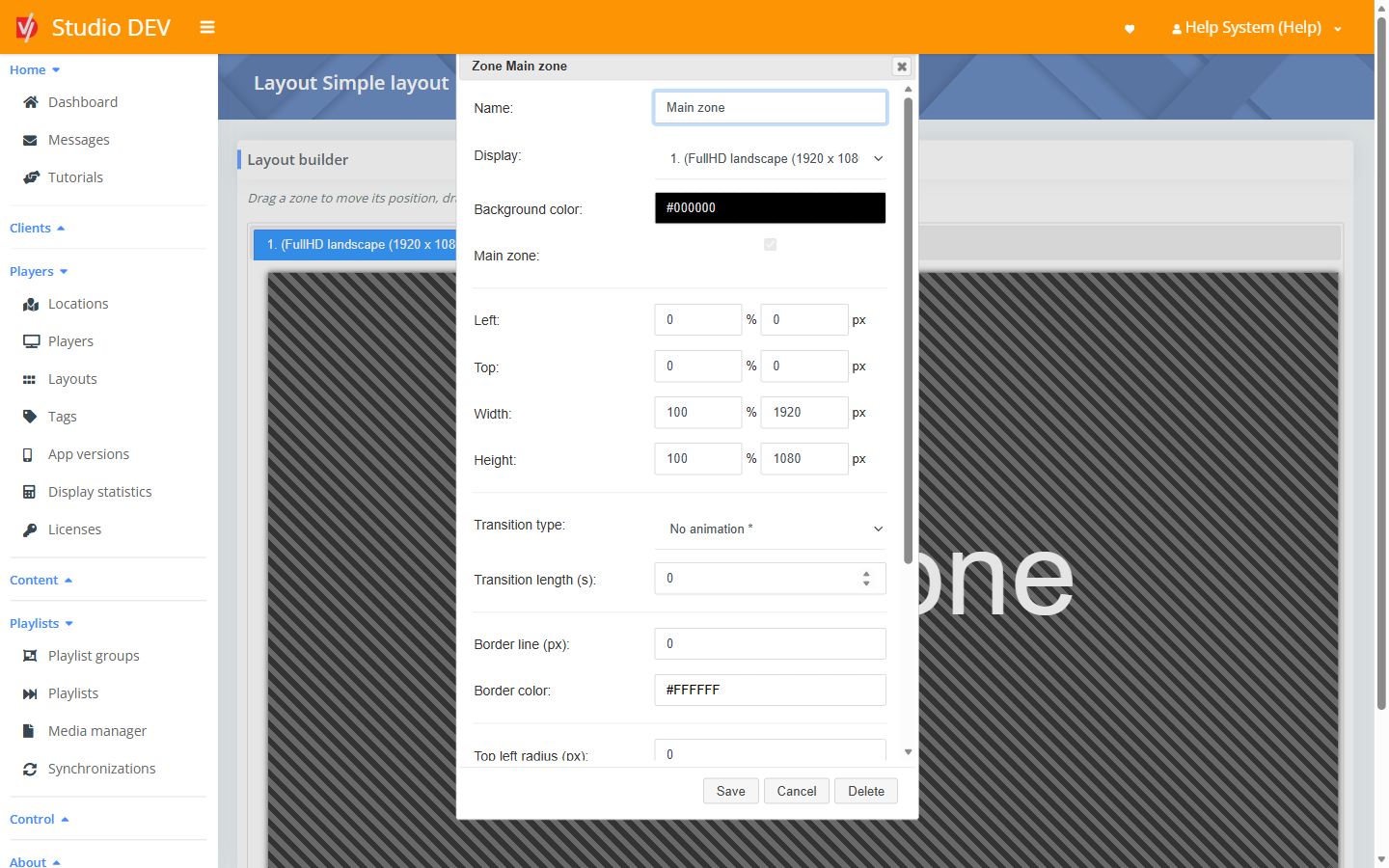
General
Section titled “General”| Property | Description |
|---|---|
| Name | The zone name shown in schedules, for example Ticker. |
| Display | Which display the zone is on (for multi-display layouts). |
| Background color | Shown when nothing is playing, or behind transparent content. |
| Main zone | Marks this zone as the main zone. Status, Display next file and several player settings refer to it. There’s one main zone per layout. |
Position and size
Section titled “Position and size”Left, Top, Width and Height can be entered as a percentage of the display or in pixels. Changing one updates the other.
Transitions
Section titled “Transitions”| Property | Description |
|---|---|
| Transition type | The animation between items: No animation, Crossfade, To right, To left, To top, To bottom, Shrink, Rotate & shrink, Enlarge & crossfade, Explode, Fold, Horizontal flip, Vertical flip, Cube (from inside), Cube (from outside), Hide or Random. |
| Transition length (s) | How long the animation lasts, in seconds. |
Border and corners
Section titled “Border and corners”| Property | Description |
|---|---|
| Border line (px) | Border thickness. 0 means no border. |
| Border color | For example #FFFFFF. |
| Top left / Top right / Bottom left / Bottom right radius (px) | Rounded corners. |
Background gradient
Section titled “Background gradient”| Property | Description |
|---|---|
| Background color gradient | None, Linear or Radial. The gradient blends from the Background color to the Second color. |
| Second color | The color the gradient blends into, for example #0000FF. |
| Gradient orientation | Linear only. Top – bottom, Top right – bottom left, Right – left, Bottom right – top left, Bottom – top, Bottom left – top right, Left – right or Top left – bottom right. |
| Gradient radius (px) | Radial only. How far the gradient spreads from the center. |
Click Save to apply your changes to the zone, Cancel to discard them, or Delete to remove the zone.
Next step
Section titled “Next step”Schedule a playlist into each zone. See Zone schedules.