
Dashboard
Where: Home → Dashboard (/)
The dashboard is the first page you see after signing in. It gives you a live overview of every player you have access to.
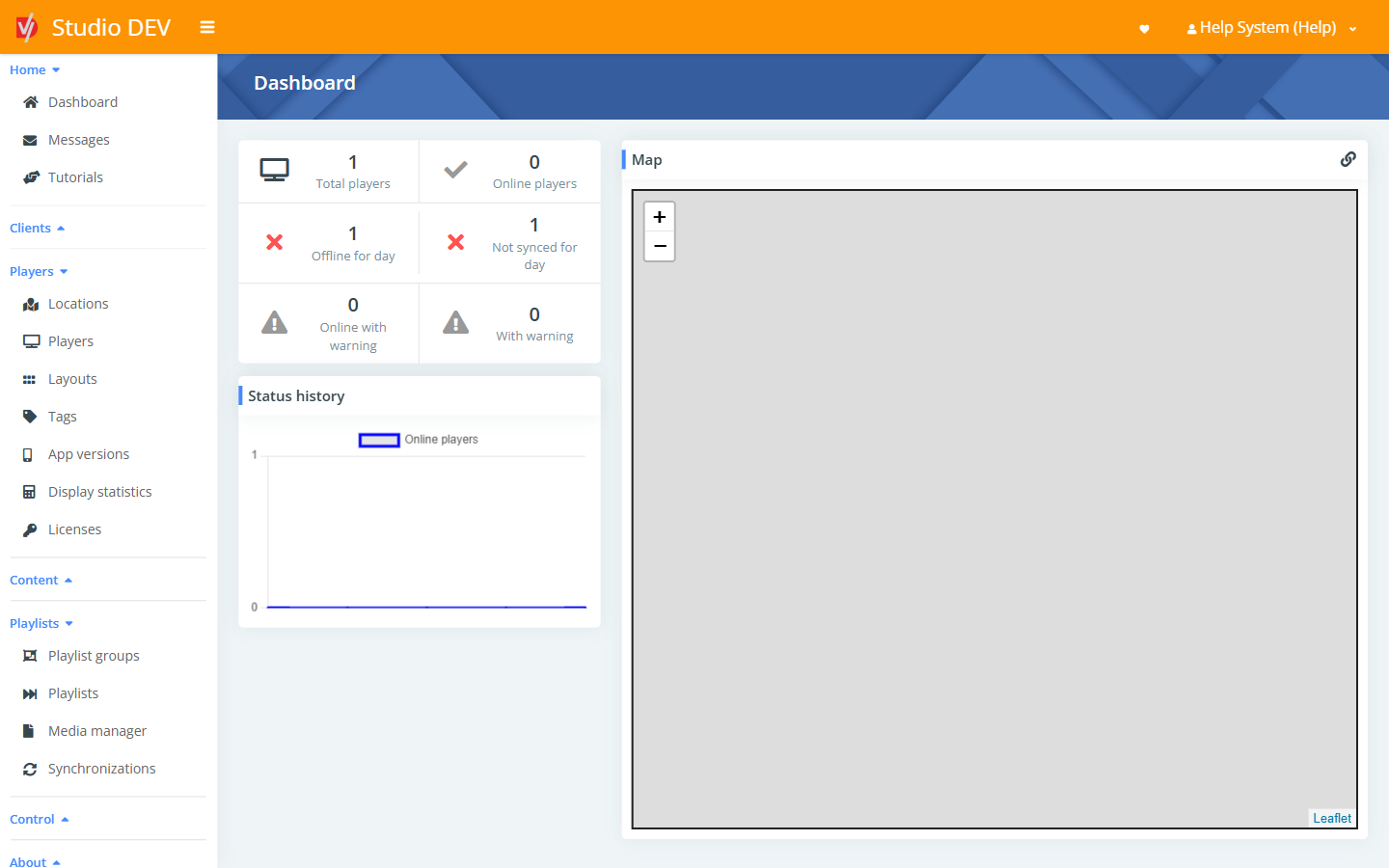
Player status tiles
Section titled “Player status tiles”Each tile shows a count. Click a tile to open the Players list already filtered to those players.
| Tile | Which players it counts |
|---|---|
| Total players | All active players you can see. |
| Online players | Players that contacted Studio in the last 5 minutes. |
| Offline for day | Players that haven’t contacted Studio for 24 hours (1,440 minutes). |
| Not synced for day | Players that haven’t finished a content sync in the last 24 hours. |
| Online with warning | Online players that are reporting a warning (for example a hardware or storage problem). |
| With warning | All players reporting a warning, online or not. |
Status history
Section titled “Status history”A chart of how many players were online over the last day. Use it to spot outages, such as a site losing its internet connection overnight.
Players are plotted using the coordinates of their location. Use +
and − to zoom. The link icon in the top-right corner opens the map full-page (/dashboard/map).
Pinned pages
Section titled “Pinned pages”Pages you pin with the heart icon (see Pin a page to your dashboard) appear here as shortcuts.
Permissions
Section titled “Permissions”- View dashboards is needed to see the dashboard.
- View only map on dashboard limits a user to the map, without the status tiles.