
App versions
Where: Players → App versions (/appVersion)
Lists every released version of the DigitalVI player app for Android and Windows.
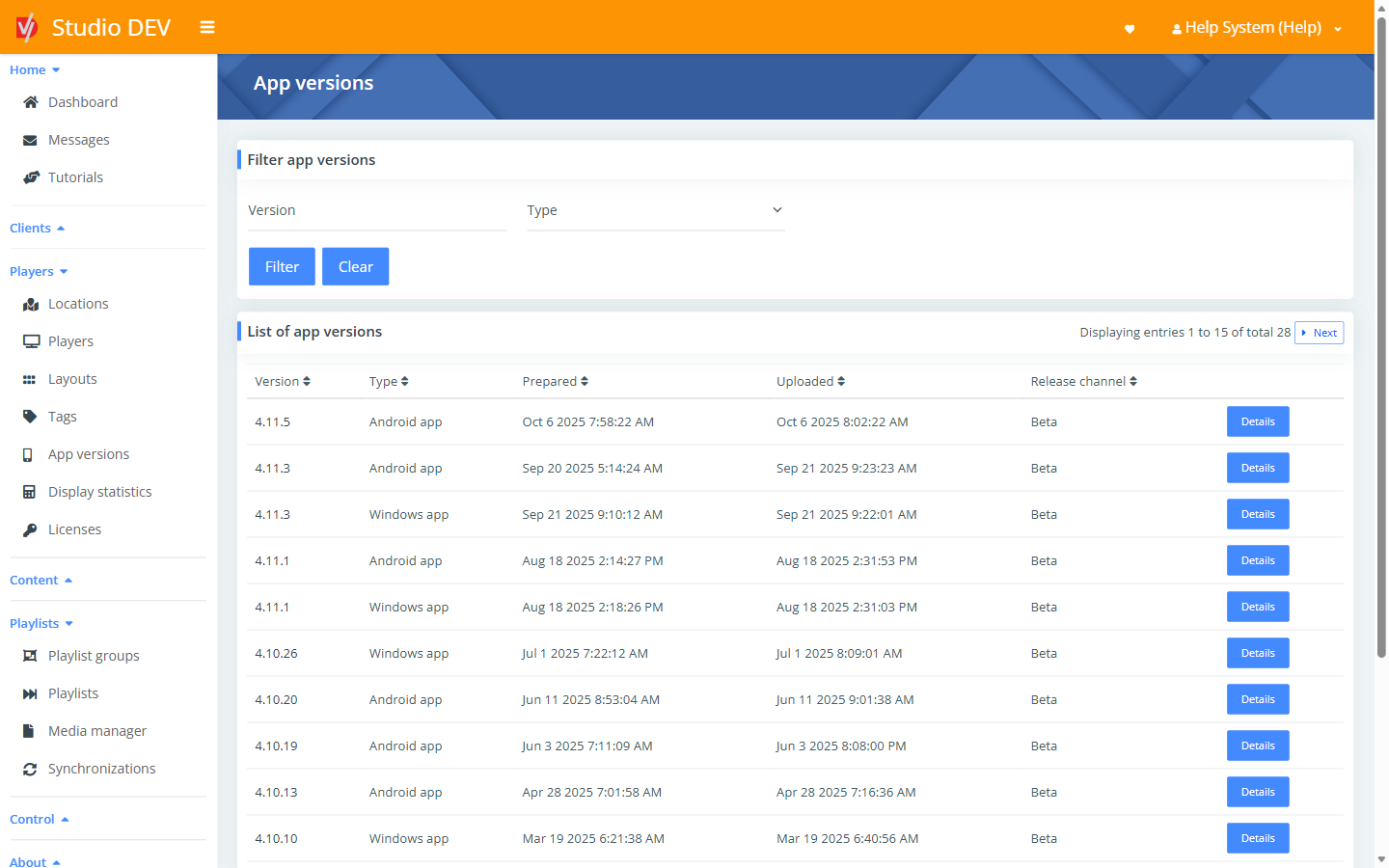
Find a version
Section titled “Find a version”Filter by Version (for example 4.11) or Type (Android app or Windows app).
| Column | Meaning |
|---|---|
| Version | The version number, for example 4.11.5. |
| Type | Android app or Windows app. |
| Prepared | When the build was made. |
| Uploaded | When it was published to Studio. |
| Release channel | Production, Beta or Alpha. |
Release channels
Section titled “Release channels”Each player has an App release channel (see Add a new player). It decides which versions it auto-updates to:
| Channel | Who should use it |
|---|---|
| Production | All screens in daily use. This is the default. |
| Beta | A few test screens, to try new versions before they reach production. |
| Alpha | Internal testing only. |
When a player updates is set by Automatic app update on the player.
App version details
Section titled “App version details”Where: /appVersion/{id}
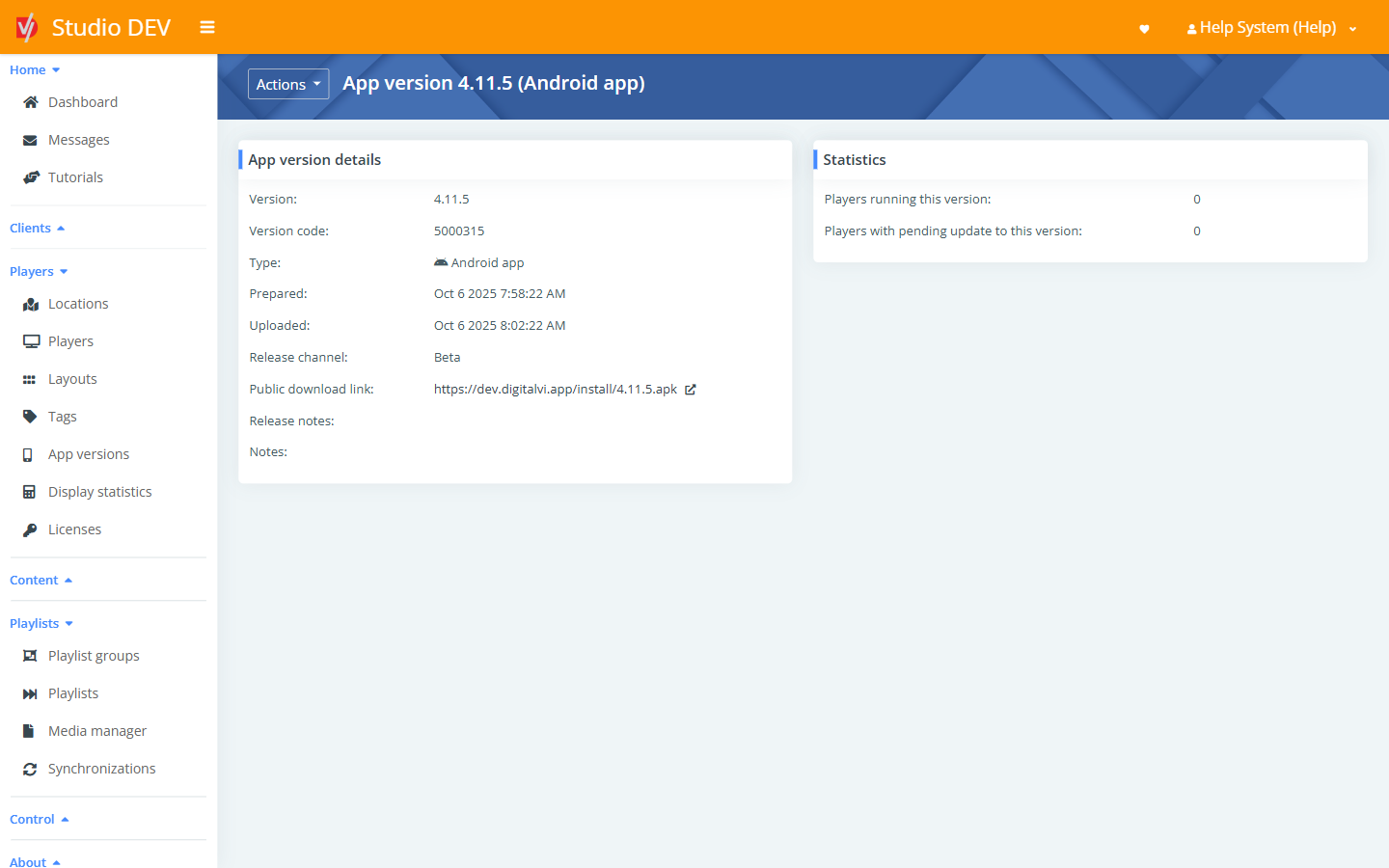
| Field | Meaning |
|---|---|
| Version / Version code | Human-readable and internal version numbers. |
| Type | Android or Windows app. |
| Prepared / Uploaded | Build and publish dates. |
| Release channel | Production, Beta or Alpha. |
| Public download link | A direct link to the installer (for example an .apk file). Use it to install the app on a new device. |
| Release notes / Notes | What changed. |
| Statistics | Players running this version and Players with pending update to this version. |
Actions → Download installation file downloads the installer.
Permissions needed
Section titled “Permissions needed”View app versions.